Your desk is where you answer emails, take calls, eat a quick snack and sometimes leave your coffee cup for days. It’s one of the most-used surfaces in your home or office, and one of the least cleaned.
A clean desk is more than tidy. It’s organized, so you can find what you need, and it’s disinfected, because your keyboard, phone and desk surface are touched dozens of times a day. In this guide, we share a simple routine to get both.
Why a Clean Desk Directly Impacts Your Productivity
- Fewer distractions. Piles of papers and objects compete for your attention, making it harder to focus on the task in front of you.
- Less time searching. When everything has a place, you stop losing minutes looking for a pen, a charger or a document.
- Fewer germs on your hands. Keyboards, mice, phones and desk surfaces collect germs from your hands, food and the air. If you share a desk or eat at it, that buildup is even faster.
- A better impression. A tidy workspace looks professional on video calls and when someone stops by.
7 Proven Steps to Achieve and Maintain a Clean Desk Daily
We recommend this routine to organize and disinfect your workspace.
- Clear everything off. Take every item off the desk and decide what really belongs there. If you haven’t used something in two weeks, it can probably live in a drawer.
- Decide what stays. Keep only what you use every day within reach. Everything else gets filed, stored or thrown away.
- Clean the surface first. With the desk empty, wipe away dust, crumbs and sticky spots with a damp cloth. Disinfectants work best on surfaces that are already clean.
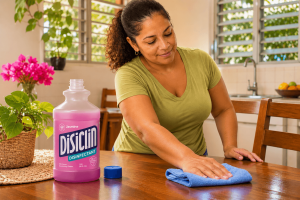
- Disinfect the desk surface. For hard, non-porous desk surfaces like laminate, metal or plastic, use Disiclin Disinfectant diluted as the label says: 2 fl. oz. (60 mL) per gallon of water. Apply it with a cloth, let it sit for 10 minutes, then wipe with clean water. Check your desk’s finish first; natural wood may need a gentler product.
- Clean your devices carefully. Never spray liquid directly on electronics. Turn them off, follow the manufacturer’s cleaning instructions and use a slightly damp, well-wrung cloth on the keyboard, mouse and phone case.
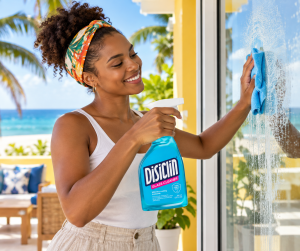
- Leave glass spotless. If your desk has a glass top, a mirror or glass dividers, Disiclin Glass Cleaner removes fingerprints and smudges without streaks. For more tips, see our guide on how to clean windows without streaks.
- Organize what goes back. Create zones: a working area in front of you, a reference area for documents and a supply area for pens and chargers. Use drawers, trays and cable clips so every item has a home.
Keep It Clean: A Daily and Weekly Routine
The hardest part isn’t cleaning your desk once, it’s keeping it that way. A short routine makes it easy:
- Every day (2 minutes): put away papers, throw out trash, take dishes and cups to the kitchen.
- A few times a week: wipe the keyboard, mouse and phone, especially if you eat at your desk.
- Once a week: disinfect the desk surface and clean any glass.
- Once a month: clear the desk completely and decide again what stays.
The same idea works in every room: a short routine beats an occasional deep clean. If you want to bring that approach to the rest of your home, start with our guide on how to clean a bathroom.
Common Mistakes That Prevent You From Keeping Your Desk Organized
- Keeping things “just in case.” Items you rarely use take up space you need every day.
- Using your desk as storage. A “temporary” pile almost always becomes permanent.
- Buying organizers before decluttering. More trays and boxes only hide the problem. Declutter first, then buy what fits what’s left.
- Ignoring cables. Tangled cables make a desk look messy and trap dust. Cable clips are a quick fix.
- Cleaning without disinfecting. A desk can look tidy and still carry germs on the surfaces you touch most.
- Eating over the keyboard. Crumbs and grease end up between the keys. If you do eat at your desk, wipe it afterwards.
Your Clean Desk Starts Today
A clean desk is one of the easiest ways to work with more focus and less clutter. Organize it once, disinfect it weekly and keep it up with a two-minute daily reset. Explore the full Disiclin line for every surface in your home and workspace, and find more practical guides on the Disiclin blog.
Frequently Asked Questions
How often should I disinfect my desk?+
Can I spray disinfectant directly on my keyboard?+
What is the fastest way to keep a clean desk?+
Can I use Disiclin Disinfectant on a wooden desk?+
Escrito por
Maria Camila Giraldo C.
Analista en Marketing Digital
¿Necesitas ayuda con tu estrategia digital?
Nuestro equipo de expertos está listo para ayudarte a crecer.
Hablar con un experto →